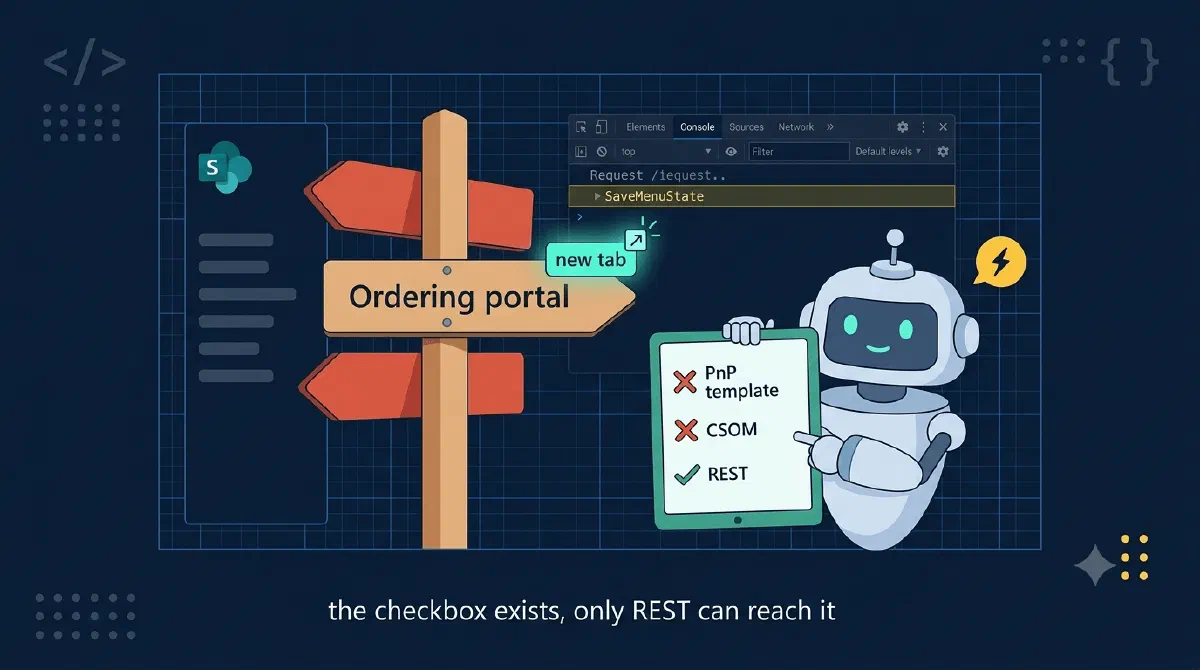
My provisioning engine creates SharePoint sites from a PnP template, navigation included. Two of the links point at other internal tools on the same tenant, and the customer wanted those to open in a new tab - by default SharePoint opens same-tenant links in the same tab, and users kept losing the site they came from.
Sounds like a checkbox. It is a checkbox - edit the navigation by hand and the panel has a literal “Open in a new tab” toggle.
But I had hundreds of sites to provision. So I went looking for the attribute in the PnP provisioning schema. Not there. Fine, I’ll set it with CSOM after the template applies. NavigationNode has Title, Url, IsExternal… and no target property either.
A checkbox in the UI with no API underneath it. Or so it seemed.
TL;DR
The flag isOpenInNewWindow on the navigation menu tree, and the only way to set it programmatically is the REST pair the navigation editor itself uses: POST /_api/navigation/MenuState to read the tree, flip the flag, POST /_api/navigation/SaveMenuState to write the whole tree back. Echo the Version token, and send odata=nometadata on the Content-Type or the save fails with a 500.Spying on the Checkbox
If the schema doesn’t have it and CSOM doesn’t have it, what does the browser do when you click the checkbox? Open dev tools, edit the navigation, save: a POST to /_api/navigation/SaveMenuState carrying the entire menu tree as JSON, each node with an OpenInNewWindow property. The matching read is /_api/navigation/MenuState. (pnp/cli-microsoft365 uses the same endpoints, which is where I stole the retrieval body shape from.)
So the recipe is read-modify-write:
public async Task SetOpenInNewWindowAsync(
    string siteUrl, IReadOnlyCollection<string> nodeTitles, CancellationToken ct) {

    // 1. Read the current-navigation menu tree. Note: a POST with a
    //    retrieval body, not a GET.
    var body = new JsonObject {
        ["customProperties"] = null,
        ["depth"] = 10,
        ["mapProviderName"] = null,
        ["menuNodeKey"] = null,  // null = QuickLaunch, "1002" = top navigation
    }.ToJsonString();
    var getJson = await PostAsync(siteUrl, "_api/navigation/MenuState", body, ct);
    var menuState = UnwrapMenuState(JsonNode.Parse(getJson));

    // 2. Flip OpenInNewWindow on matching nodes, preserving everything
    //    else (incl. the "Version" token SaveMenuState requires back).
    var wanted = new HashSet<string>(nodeTitles, StringComparer.OrdinalIgnoreCase);
    var changed = ApplyOpenInNewWindow(menuState["Nodes"] as JsonArray, wanted);
    if (changed == 0) return;

    // 3. POST the whole tree back under a "menuState" wrapper.
    var payload = new JsonObject { ["menuState"] = menuState.DeepClone() };
    await PostAsync(siteUrl, "_api/navigation/SaveMenuState", payload.ToJsonString(), ct);
}

private static int ApplyOpenInNewWindow(JsonArray? nodes, HashSet<string> wantedTitles) {
    if (nodes is null) return 0;

    var changed = 0;
    foreach (var node in nodes) {
        if (node is not JsonObject obj) continue;

        var title = obj["Title"]?.GetValue<string>();
        if (title is not null && wantedTitles.Contains(title)
            && obj["OpenInNewWindow"]?.GetValue<bool>() != true) {
            obj["OpenInNewWindow"] = true;
            changed++;
        }
        changed += ApplyOpenInNewWindow(obj["Nodes"] as JsonArray, wantedTitles);
    }
    return changed;
}
What’s happening here?
- The tree stays raw
JsonNodeon purpose.SaveMenuStatewants the whole menu state back, including properties I don’t care about and aVersionconcurrency token I must echo unchanged. A typed model risks silently dropping something SharePoint expects to get back. - Matching is by title, recursively, because nodes can nest. Titles work for me since my PnP template fixes them; if yours vary, match on
SimpleUrlinstead. - A node only counts as changed if the flag wasn’t already
true, andchanged == 0skips the save - the operation is idempotent, so my provisioning engine can retry the step freely.
Gotchas
odata=nometadataon the Content-Type, or a 500. WithoutContent-Type: application/json;odata=nometadata, SharePoint parses your body as odata=verbose, expects arrays as{"results": [...]}, andSaveMenuStateanswers with aTargetInvocationExceptionthat says nothing about why. The payload was fine. The header made it wrong. Ask me how long that took to find.MenuStateis a POST, not a GET. You send a retrieval body to read data. The navigation editor does it the same way; don’t fight it.- Echo the
Versiontoken. Send back exactly the tree you got, modified only where you mean it. - The read response shape varies. Bare, wrapped in a
MenuStateproperty, or underd.MenuStatein verbose mode, depending on your Accept header. Normalize before touchingNodes. - Order matters in provisioning. The nodes must exist before you can flag them, so this runs after the PnP template apply.
- No X-RequestDigest needed with bearer auth. The digest dance is only for cookie-based auth.
Wrapping Up
When a SharePoint setting has a checkbox in the UI but no property in the PnP schema or CSOM, watch the network tab: the modern UI runs on REST endpoints you can call yourself. For navigation link targets that’s the MenuState/SaveMenuState pair - read the tree, flip OpenInNewWindow, write the whole tree back, and mind the odata=nometadata header on the way in.
References